
Ask anyone with ADHD what time feels like, and they will likely describe a strange paradox.
Two hours can vanish in twelve seconds while researching a hyperfocus curiosity. Yet sitting down to draft a single administrative email feels like being trapped in an eternal, suffocating hallway where thirty seconds stretches across an entire afternoon.
In clinical psychology, this isn't considered laziness or poor discipline. It is a well-documented executive function deficit known as Time Blindness.
Dr. Russell Barkley, one of the world's leading clinical researchers on ADHD, describes it plainly: people with ADHD live in a temporal window where the future has virtually no motivational pull until it collides directly with the present. To an ADHD brain, there are only two operational zones on the clock:
- NOW
- NOT NOW
Standard digital clocks—with their cold, fluctuating numbers like 14:22, 14:21, 14:20—do nothing to bridge this cognitive gap. They force your prefrontal cortex to perform mental arithmetic just to translate abstract digits into a physical sense of pacing.
And traditional Pomodoro timers with loud, sudden kitchen buzzers? They do something even worse: they weaponize anxiety, spiking cortisol and teaching your nervous system to fear the very tool meant to support you.
This is why visual timers have quietly become the holy grail of neurodivergent productivity.
The Cognitive Science: Why Your Brain Needs to "See" Time
A visual timer takes an abstract cognitive concept—time passing—and translates it into a physical, spatial reality.
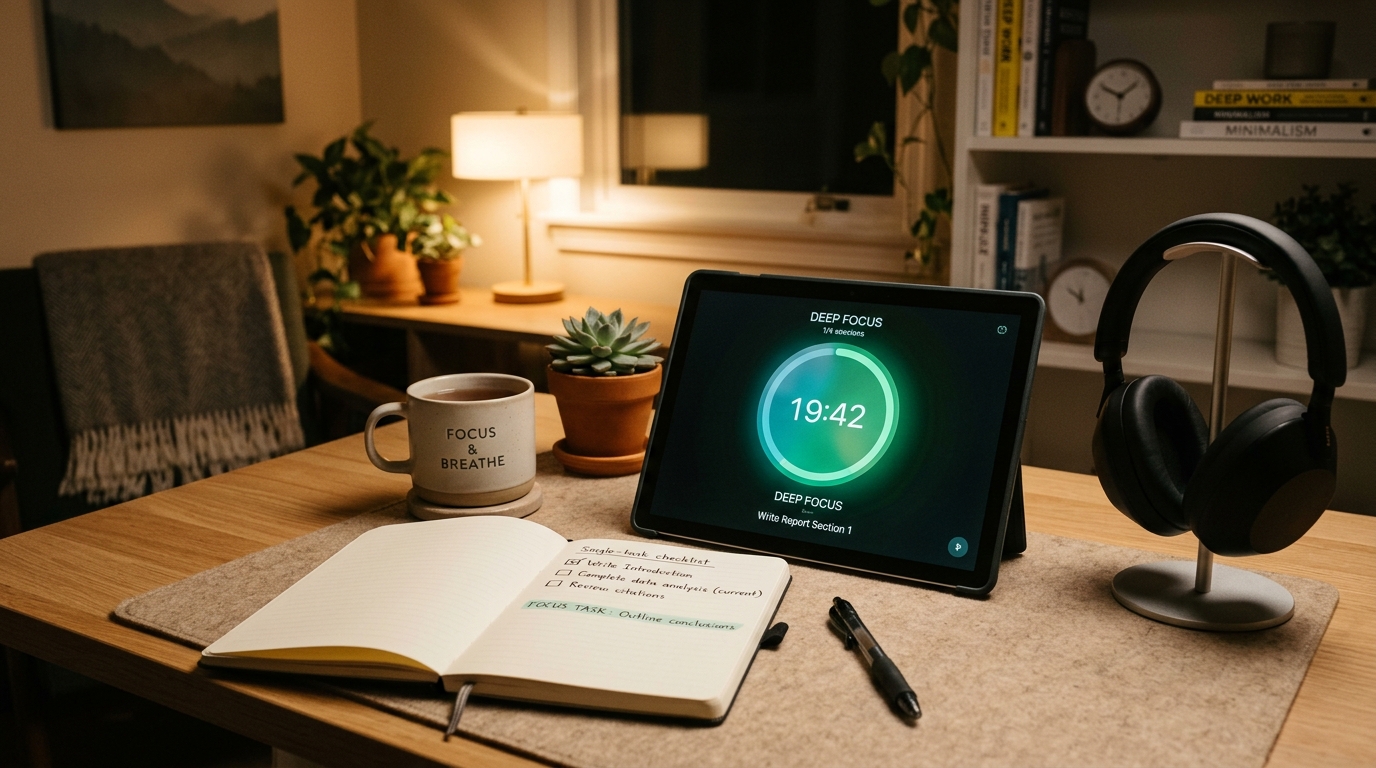
Instead of reading numbers, your brain sees an illuminated, shrinking ring or colored disk.
This simple shift triggers three profound neurological benefits:
1. Instant Spatial Awareness
Your visual cortex processes spatial geometry thousands of times faster than symbolic digits. With a single glance in your peripheral vision, you immediately perceive how much time is gone and how much remains, without ever breaking your train of thought.
2. Elimination of Task Paralysis
When you look at an open 2-hour afternoon, an ADHD brain experiences executive overwhelm. But when you anchor your attention to a visual 15-minute colored ring, the task suddenly has visible boundaries. It feels finite, approachable, and safe to start.
3. Low-Anxiety Transitions
Shrill digital alarms trigger a fight-or-flight response. High-quality visual timers replace screeching beeps with gentle harmonic chords and gradual visual fades, allowing your nervous system to disengage without emotional friction.
The 5 Best ADHD Visual Timers & Focus Tools
1. TimerBox.net — Best Free Digital ADHD Visual Timer
- Price: 100% Free (No account required, no paywalls)
- Form Factor: Browser web app & Chrome extension
- Best For: Desktop deep work, studying, and overcoming immediate task paralysis
If you want an aesthetic, sensory-friendly visual countdown on your laptop, secondary monitor, or tablet without downloading heavy software or paying a recurring monthly fee, TimerBox.net is the premier tool.
Most online timers are plagued by flashing banner ads and harsh bright-white themes that overload sensory sensitivity. TimerBox is built around a soothing dark glassmorphism interface with high-contrast, customizable visual dials.
Why It Excels for ADHD:
- Zero Onboarding Resistance: The hardest part for ADHD is starting. TimerBox requires no login, no passwords, and no credit card. You open the link, pick a duration, and hit the Spacebar.
- Dedicated ADHD & Visual Modes: TimerBox features a specialized ADHD Visual Timer with smooth visual rings, as well as an interactive Visual Timer mode that makes time feel physical.
- Single-Task Anchoring: Right beneath the visual countdown disk is a distraction-free task input box. You write down the one single objective for that sprint. When your attention drifts, the visual timer and your written task anchor act as an external working memory buffer.
- Sensory Audio Built In: Rather than shocking your nervous system when the countdown expires, TimerBox synthesizes soft melodic chimes. It also includes built-in ambient noise streams like brown noise, lofi rain, and crackling fireplaces right in the tab to drown out distracting thoughts.
2. Time Timer (Physical Desktop Clock) — The Original Analog Classic
- Price: $35 – $45
- Form Factor: Physical standalone desktop device
- Best For: Tactile desks, classrooms, and screen-free study blocks
Originally invented by Jan Rogers for her young daughter who struggled with transitions, Time Timer is the legendary mechanical gold standard of physical visual clocks.
As time elapses, a bright red disk physically recedes into the clock face until it disappears into a clean white circle.
- Pros: Zero digital distractions with no browser tabs, notifications, or batteries to recharge. Completely silent quartz movement with an optional gentle alert beep.
- Cons: Expensive for a single-purpose mechanical clock ($35+). Lacks built-in task tracking and cannot be carried everywhere easily.
3. Focusmate — Best for ADHD Body Doubling
- Price: 3 free sessions per week; $6.99 – $9.99/month for unlimited
- Form Factor: Web app with live video
- Best For: Severe procrastination on high-friction administrative tasks
For ADHD adults, "body doubling"—working alongside another human being who is also quietly focusing—is one of the most effective non-medication interventions known.
Focusmate pairs you on a silent 25-minute or 50-minute webcam session with another focused professional somewhere in the world. You state your task at the beginning, work in companionable silence, and debrief for one minute at the end.
- Pros: Unbeatable social accountability that cuts straight through executive dysfunction. Massive global community available 24/7.
- Cons: Requires turning on your webcam and coordinating session start times. Not ideal for quick 5 or 10-minute micro-bursts.
4. Routinery — Best for Morning & Bedtime Executive Dysfunction
- Price: Free tier; $3.99/month for Pro
- Form Factor: iOS & Android mobile app
- Best For: Transitioning between daily life steps (waking up, leaving the house)
ADHD time blindness is often worst during morning routines, where brushing teeth, packing a bag, and finding keys can dissolve into 45 lost minutes.
Routinery turns daily routines into a sequential visual playlist. It displays a visual progress circle for each individual task (e.g., 4 minutes for coffee, 3 minutes for vitamins) and gently prompts you forward.
- Pros: Keeps mornings on track without having to make executive decisions before breakfast. Haptic vibrations on Apple Watch guide transitions effortlessly.
- Cons: Tedious to set up and adjust when life routines shift. Strictly geared toward daily habits rather than deep creative desk work.
5. Brili — Best for Kids & Teens with ADHD
- Price: 30-day trial; $7.99/month
- Form Factor: Mobile & tablet app
- Best For: Neurodivergent children, homeschoolers, and family structure
Brili takes the visual timer concept and gamifies it specifically for neurodivergent kids who push back against parent reminders.
Children see visual shrinking wheels paired with rewarding sound effects and avatar rewards as they move through homework blocks or chore routines.
- Pros: Removes parent-child tension by letting the visual timer be the neutral guide. Synchronized parent and child dashboards.
- Cons: Monthly subscription model feels steep for families. Visual aesthetic is too juvenile for university students or adults.
The 4-Step ADHD Visual Timer Playbook
Having the right tool is only half the battle. Here is how to use a visual timer without triggering resistance:
Step 1: Use the "10-Minute Dopamine Gateway"
Never force an ADHD brain to commit to 45 minutes on a task it is dreading. The emotional wall is simply too high. Instead, set a 10-minute visual countdown on TimerBox. Tell yourself: "I only have to work until the green ring vanishes. When it rings, I have full permission to quit." Nine times out of ten, breaking the starting barrier triggers natural dopamine, and you choose to keep going.
Step 2: Externalize Your Working Memory
Working memory is notoriously fragile with ADHD. Always pair your countdown with a visible, single-sentence task label right beneath the clock. If you leave your desk to grab a glass of water and forget what you were doing, your open visual timer immediately re-orients your attention.
Step 3: Pair Visuals with Sensory Brown Noise
Visual timers handle spatial tracking; ambient sound handles auditory filtering. Brown noise and rain frequencies soothe the hyperactive background chatter in an ADHD brain. Using TimerBox's built-in sound generator creates an immersive sensory bubble that protects your focus from ambient room sounds.
Step 4: Honor the Rest Phase
When the visual ring empties and your chime rings, stand up. Look out a window, stretch your spine, or drink water. Rest is an essential component of dopamine replenishment. For extended open-ended focus without rigid buzzers, you can also explore the Flowtime Technique Timer.
Stop Fighting Your Neurology
If you have spent years feeling guilty because standard calendars, strict planners, and ticking clocks made you feel broken, recognize this: you were simply using tools built for neurotypical cognitive wiring.
Your brain does not lack willpower. It lacks visible, sensory-friendly boundaries.
Bring time out of the abstract and make it physical. Turn on an aesthetic visual timer, give yourself a modest 10-minute runway, and watch how quickly your natural focus catches fire.